In this article: You’ll learn how to install, adjust, and use the MOD Phone Holder to securely mount your smartphone on your handlebars for navigation, music, or ride tracking.
This Article Applies to the Following Bikes
Difficulty
★☆☆ Easy
Estimated Time
5 - 10 Min
Before You Start
Tools you will need
- 3mm Allen Wrench included in your MOD Phone Holder
Preparation
- Ensure your bike is off and standing securely on its kickstand.
- Decide where on the handlebars you want to mount the phone holder
Steps | All Bikes
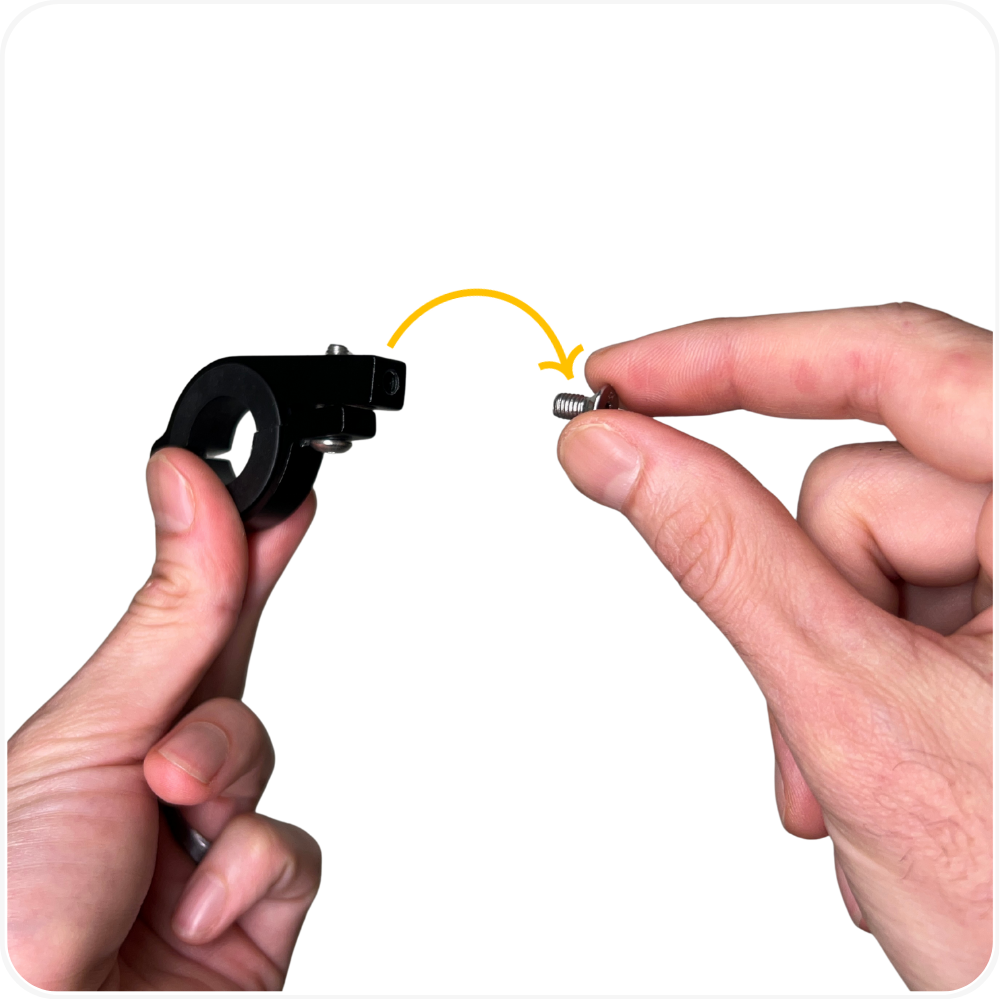
Step 1: Remove the Clamp Screw
Fully unscrew the small screw that connects the clamp to the phone holder and remove the screw from the clamp.
Step 2: Attach the Phone Holder to the Clamp
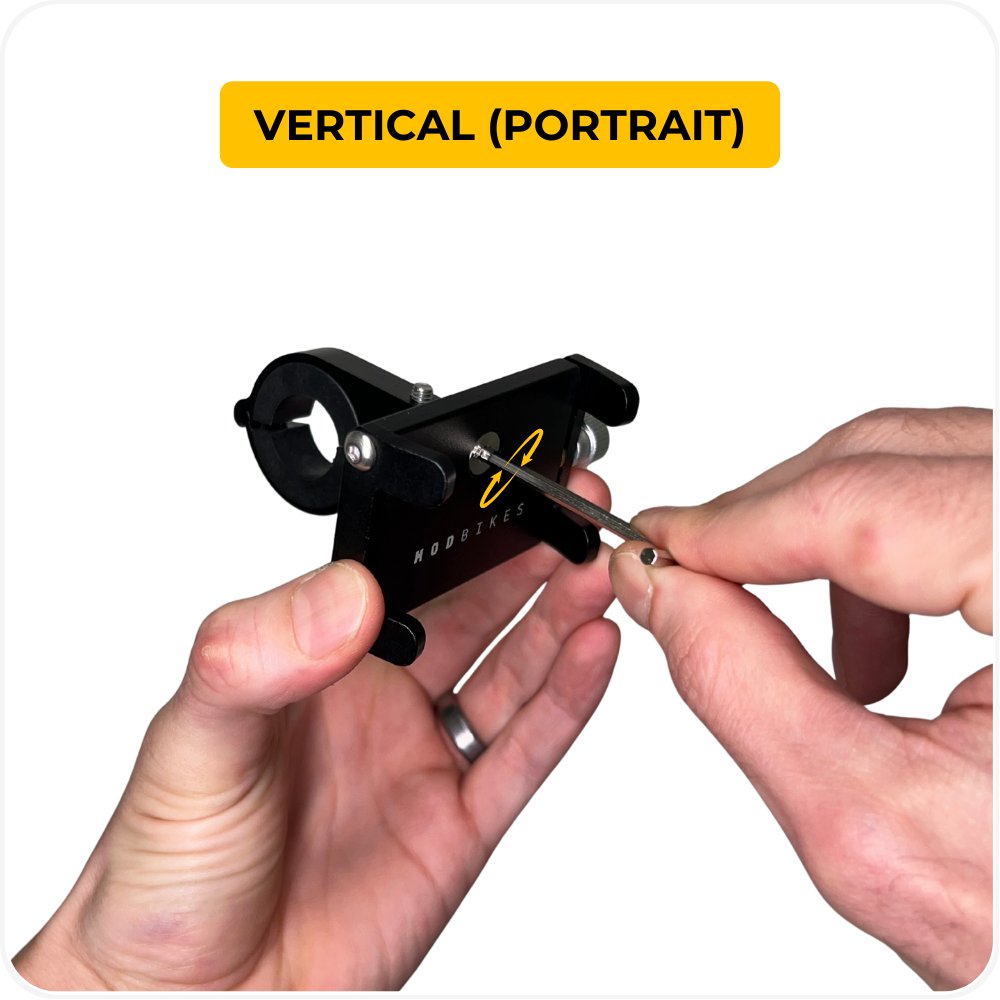
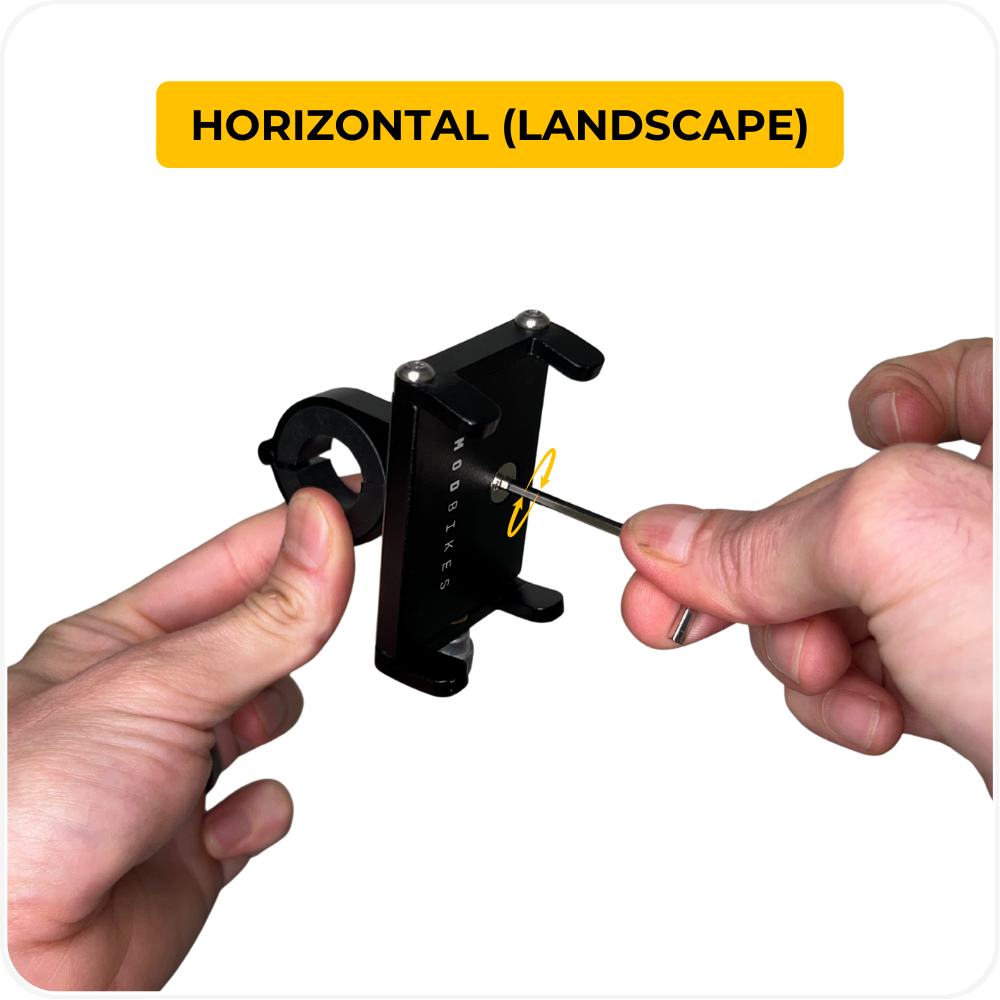
Align the phone holder with the clamp, insert the screw through the center hole into the clamp, then hand-thread and tighten it using the included 3mm Allen key.
Orientation options:
Vertical (portrait)
Horizontal (landscape)
Choose the orientation that works best for your riding and visibility.
Step 3: Install the Clamp on the Handlebar
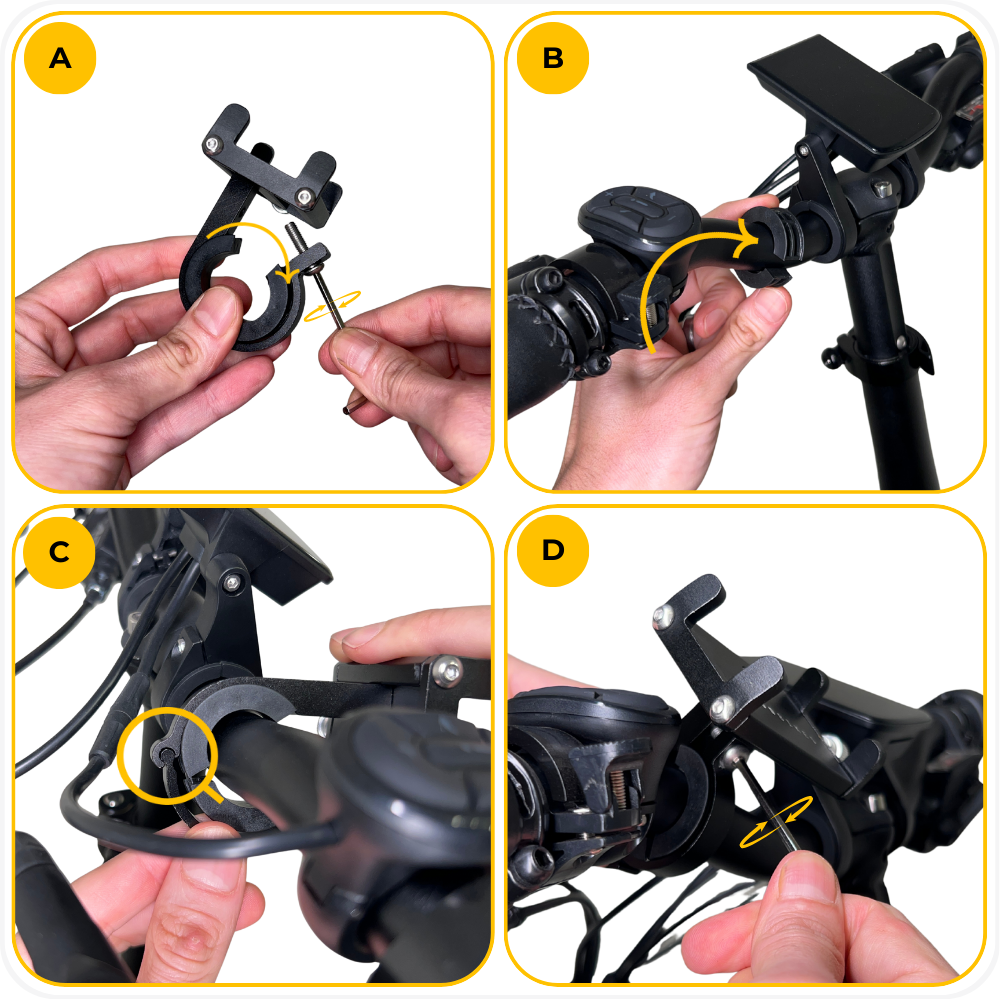
- Use the Allen key to loosen the clamp screw until the clamp opens wide enough to work with.
- Place the plastic insert inside the clamp at your desired handlebar location to prevent scratching and improve grip.
The clamp does not fully hinge open. Separate it, place it around the handlebar over the plastic insert, then hook the clamp back together.
Reinsert and tighten the clamp screw using the 3mm Allen key until the mount is snug and does not move.
Note: The phone holder kit includes an additional thinner plastic clamp insert for thicker handlebars. If needed, you can swap the insert for a better fit.
Step 4: Place Your Phone in the Holder
- Apply the four included rubber pads to the corners of the phone holder. These adhesive pads help protect your phone and prevent scratching or slipping.
- Turn the adjustment knob counterclockwise to open the holder, then place your phone into the center.
- Turn the knob clockwise to tighten the arms until the phone is fully secure and does not move.
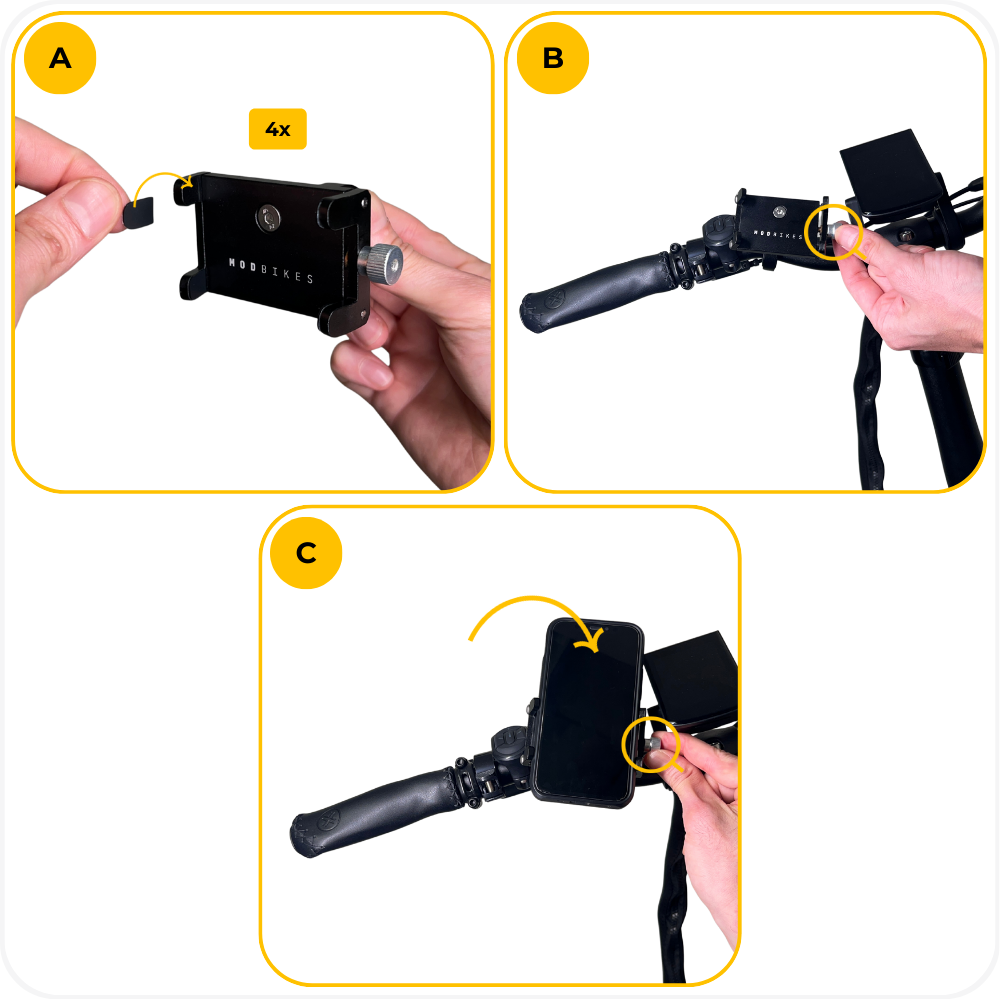
Step 5: Final Safety Check
Lightly shake the holder to confirm the phone is secure.
Ensure the phone does not block brake levers, throttle, or display visibility.
Troubleshooting
- Phone shifts or vibrates while riding → Tighten the adjustment knob further and make sure the phone is centered in the holder.
- Holder rotates on the handlebar → Recheck the clamp screw and tighten until the mount does not move when pushed.
- Clamp feels loose even when tightened → Confirm the plastic insert is installed inside the clamp and seated correctly.
- Phone buttons are being pressed → Reposition the phone slightly so the holder arms are not pressing on side buttons.
- Phone is hard to insert or remove → Loosen the adjustment knob a few more turns before placing or removing the phone.
FAQs
- Will this phone holder fit my phone?
Yes. The MOD Phone Holder is adjustable and fits most standard smartphones. - Can I mount my phone vertically or horizontally?
Yes. The clamp orientation can be adjusted to support both portrait and landscape views. - Do I need tools to install it?
An Allen key is included and is only needed for mounting the clamp to the handlebar. - Will this scratch my handlebars?
No. The plastic insert inside the clamp is designed to protect your handlebar and improve grip. - Can I adjust the angle after installation?
Yes. You can slightly loosen the mount to fine-tune the viewing angle, then retighten.
Warning
⚠️ Important Safety & Liability Notice

These instructions are provided as a general guide for installing the MOD Phone Holder. Always ensure all screws, clamps, and adjustment knobs are fully tightened and secure before riding. An improperly secured phone holder may shift, detach, or interfere with bike controls, which could result in damage or injury.

Never adjust the phone holder while the bike is in motion. Make sure the holder does not interfere with steering, braking, throttle operation, or visibility of the display. Periodically check tightness, especially after riding on rough terrain.

If you are not confident performing this installation, please seek assistance from a qualified technician. MOD BIKES is not responsible for damage, injury, or loss caused by improper installation, adjustment, or use of this accessory. Local laws and regulations may apply.
Was this article helpful?
That’s Great!
Thank you for your feedback
Sorry! We couldn't be helpful
Thank you for your feedback
Feedback sent
We appreciate your effort and will try to fix the article