In this article: You’ll learn how to install the MOD Snap-On Rear Basket on your MOD BIKE. The MOD Snap-On Rear Basket mounts directly to any MOD BIKES Rear Rack.
This Article Applies to the Following Bikes
Difficulty
★☆☆ Easy
Estimated Time
5–10 Min
Before You Start
Preparation
Ensure your bike is off and standing securely on its kickstand.
Steps to Attach Basket onto the Rear Rack
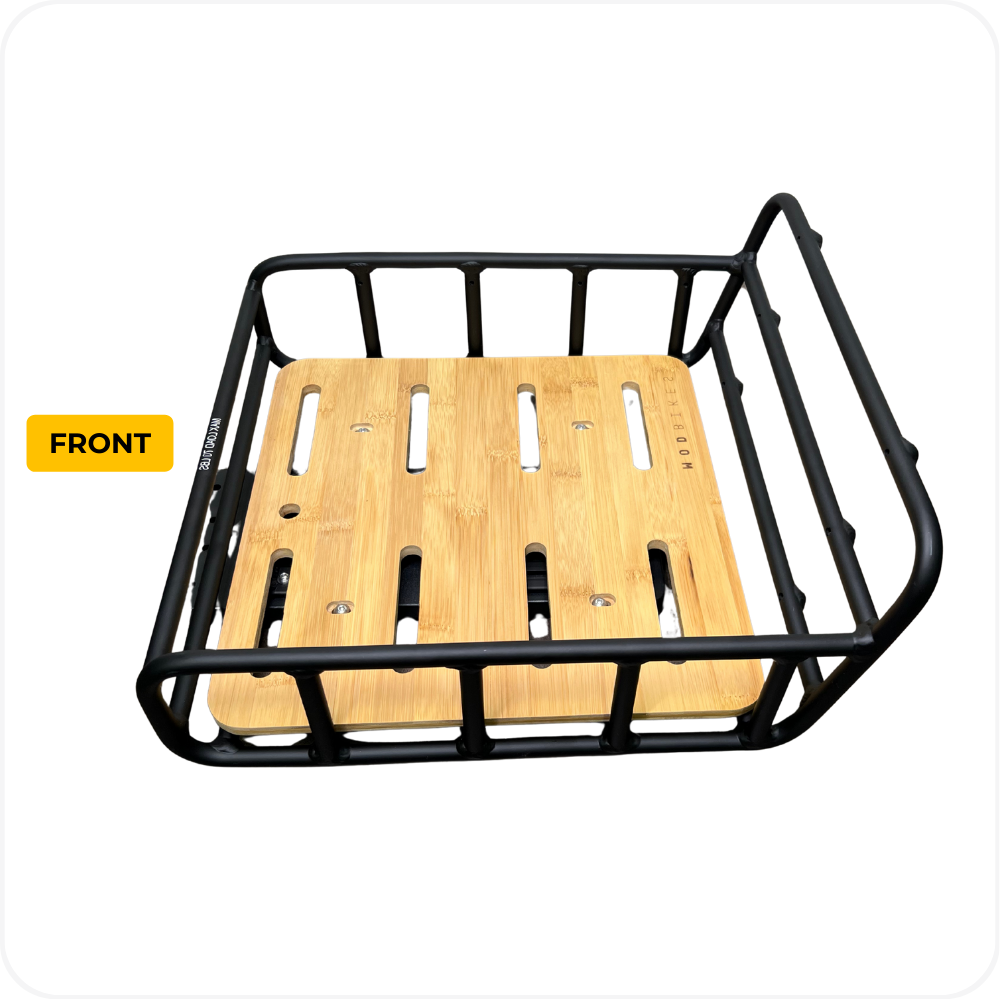
Step 1: Identify the Front of the Basket
The back of the basket has a taller rear wall.
The front of the basket is the side with the lower wall.
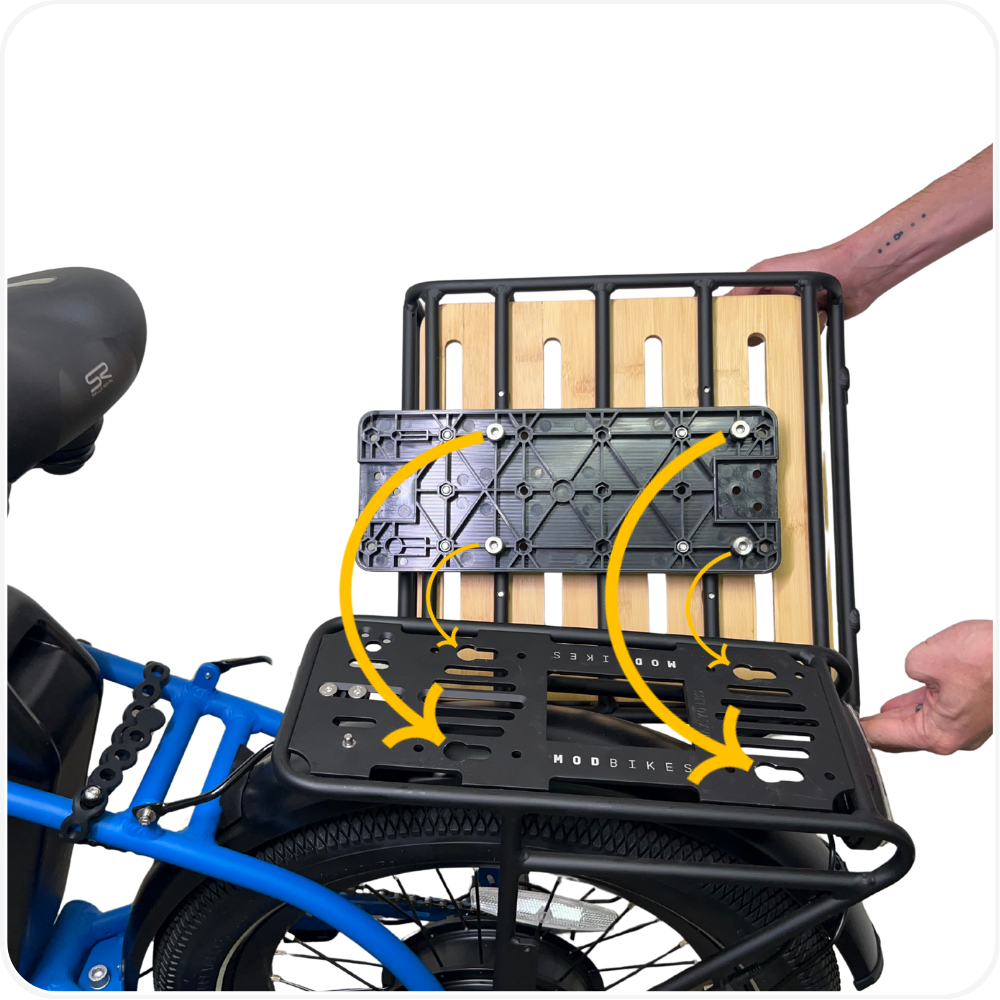
Step 2: Align the Basket with the Rear Rack
Hold the basket base above the rear rack.
Line up the front and rear pins with the slots on the rack’s top plate.
Make sure the front of the basket is facing the seat.
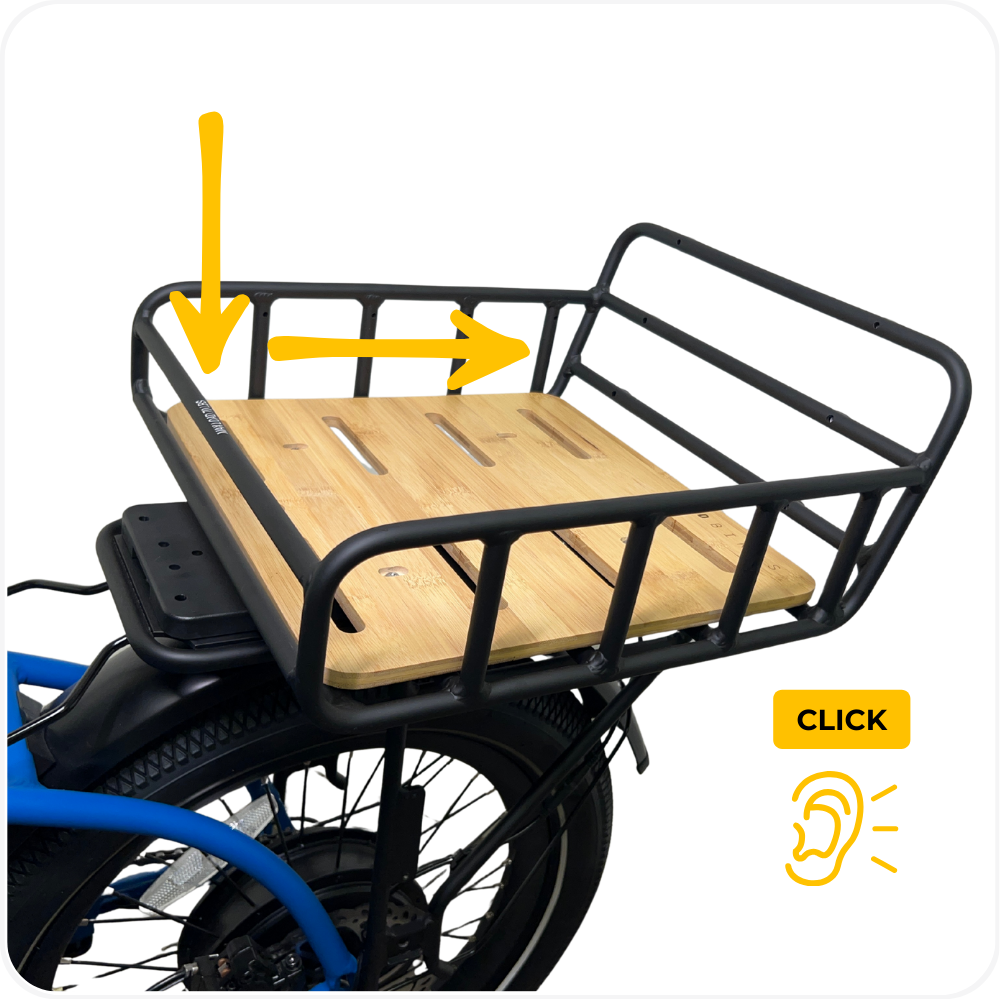
Step 3: Snap the Basket into Place
Push the basket straight down and back until you hear a “click.”
This sound confirms the basket is securely locked onto the rack.
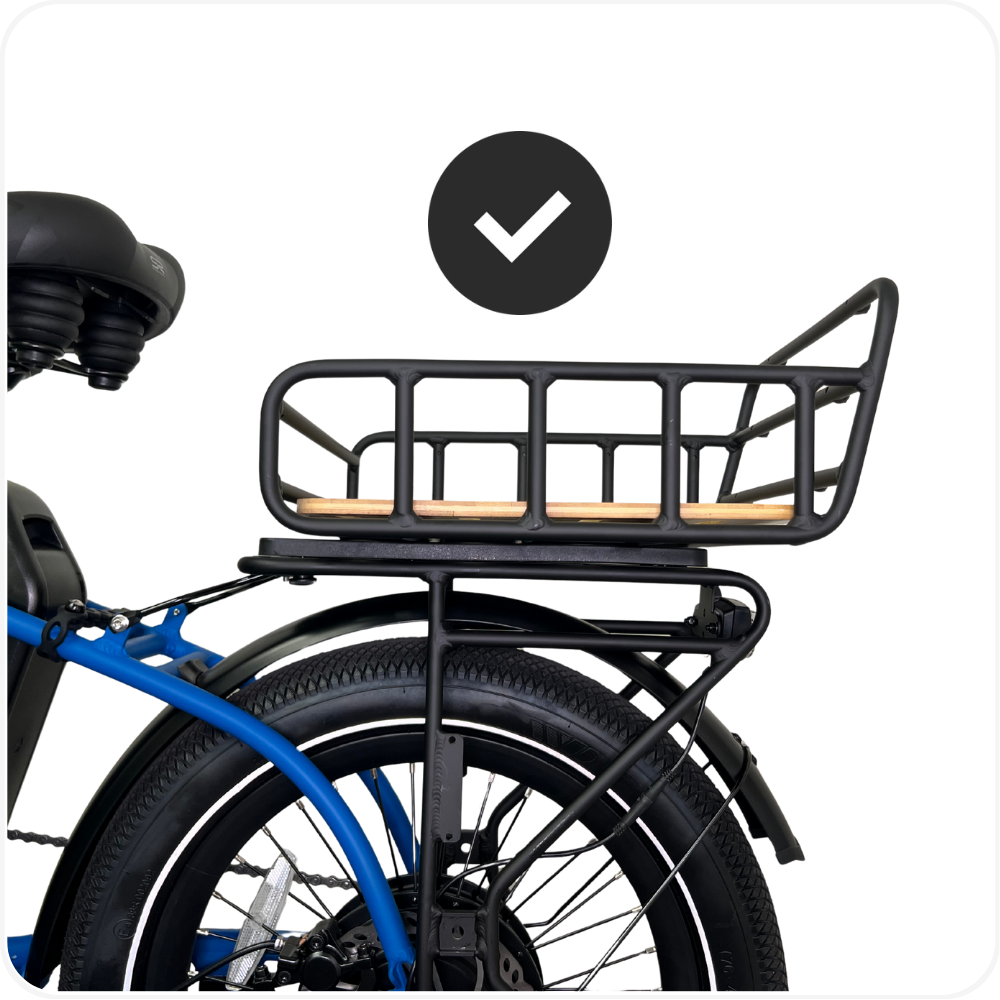
Step 4: Check Basket is secured
You shouldn’t see any gap between the basket and the rack.
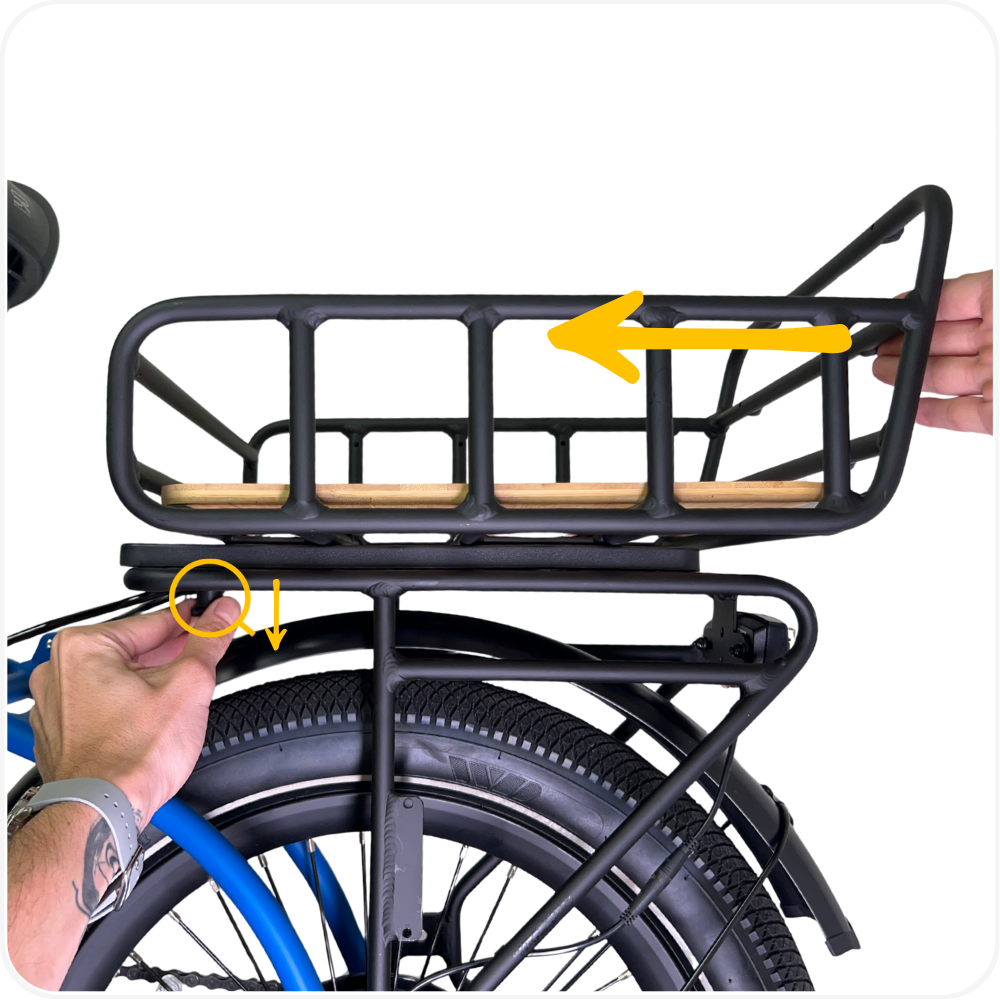
Step 5: To Remove the Basket
To remove the basket, pull the locking pin downward to release.
Then push the basket forward toward the seat to disengage it from the rack.
Keep Your Basket Secure
Add an extra layer of protection with the MOD Snap-On Lock, designed to help secure your basket and compatible accessories.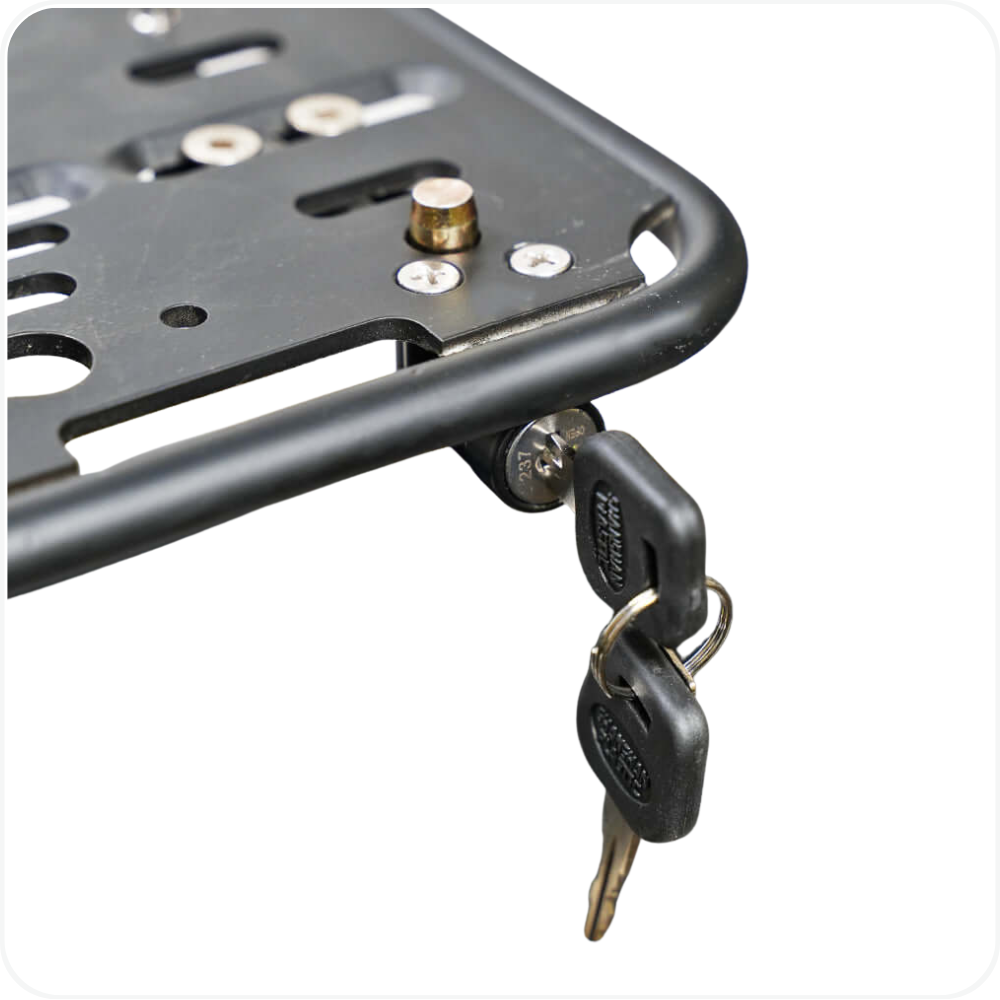
Install Rear Accessories
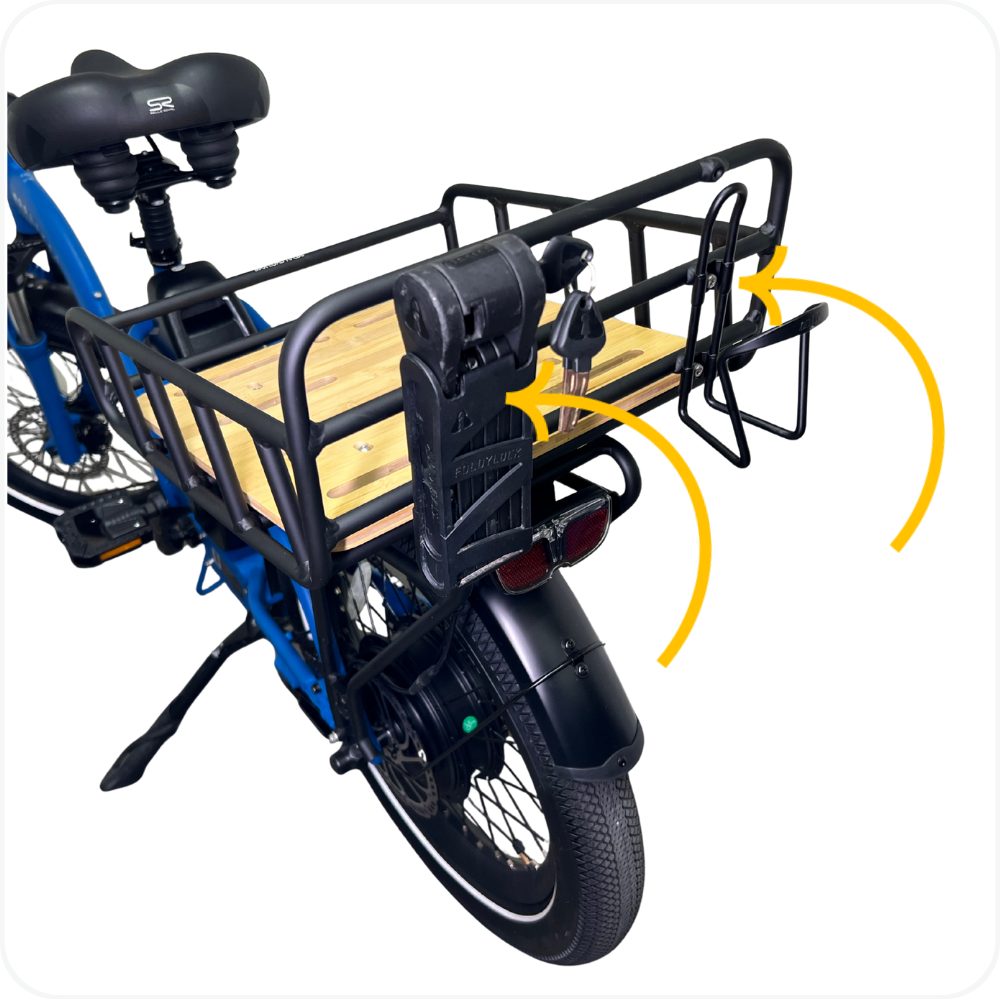
The rear of the Snap-On Rack includes two sets of threaded mounting holes.
These can be used to install accessories such as:
Use a 4mm Allen wrench to tighten accessories securely.
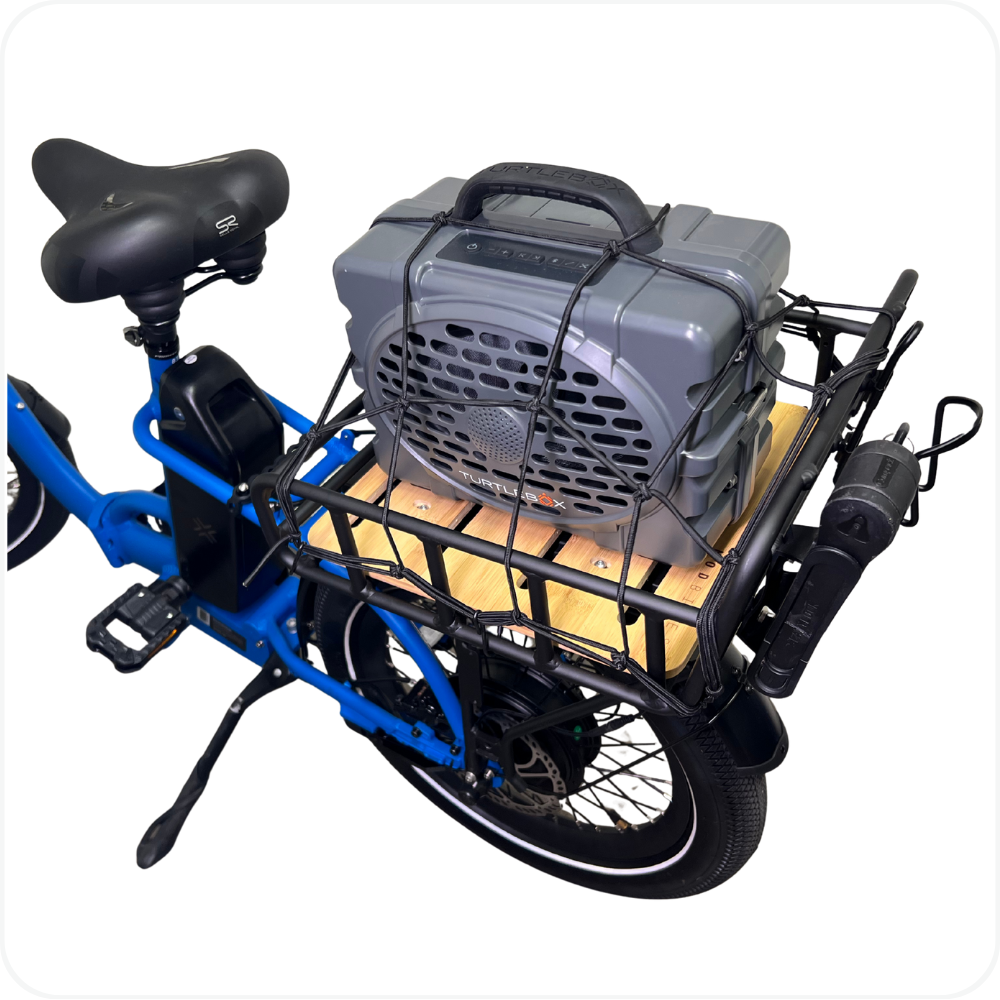
Secure Your Cargo
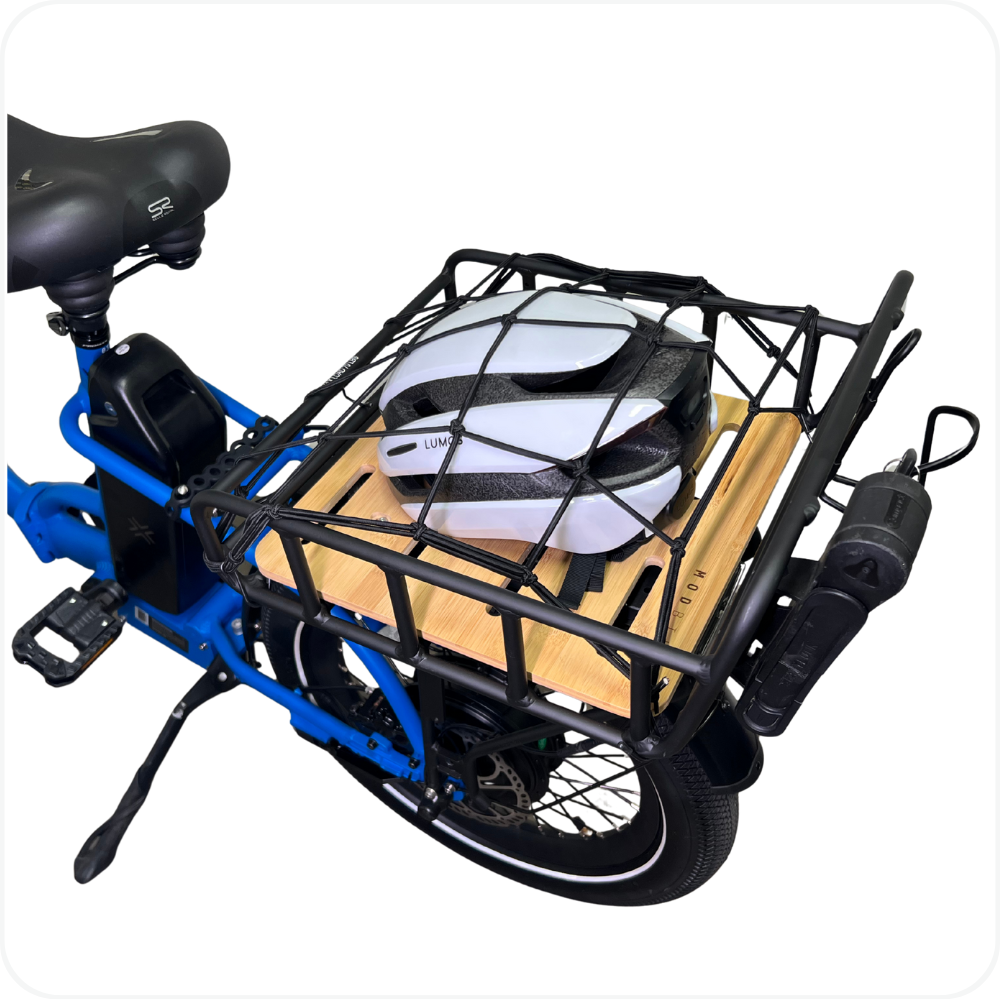
Secure your items in the basket using the MOD Cargo Net.
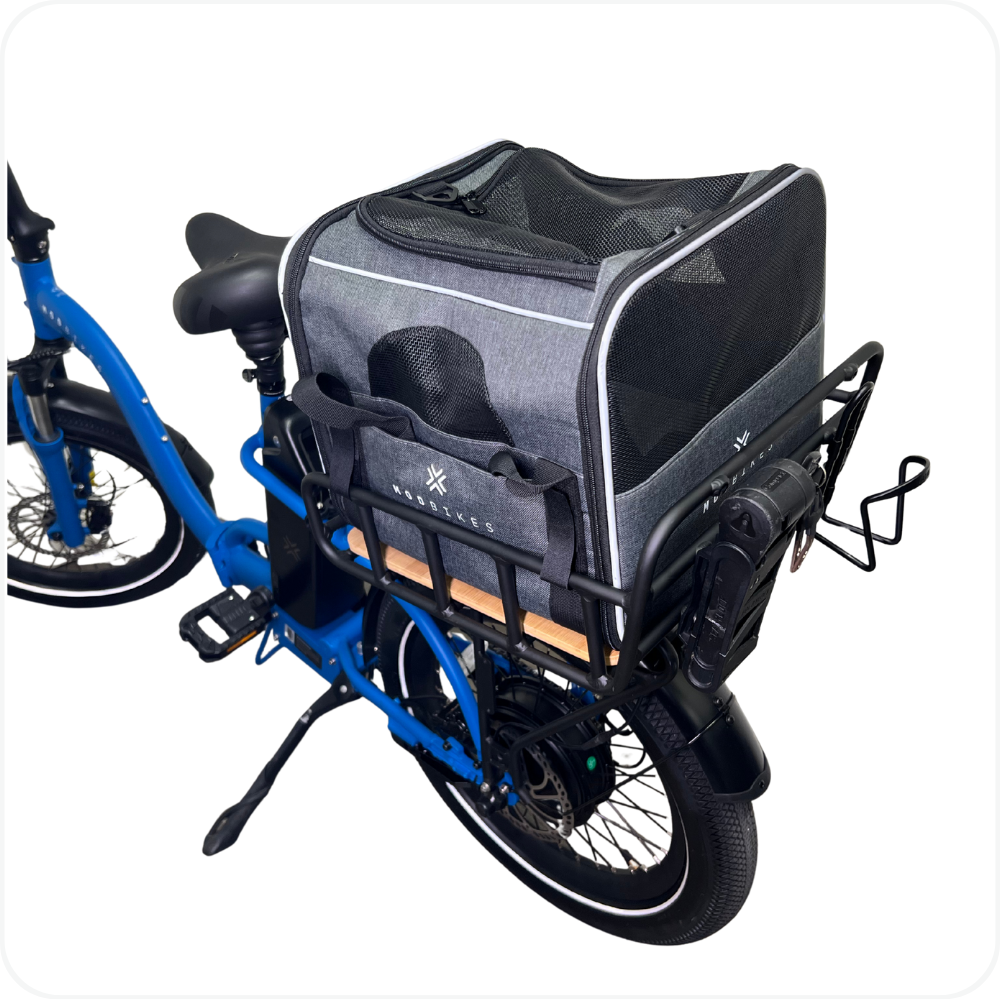
Carry Your Best Friend
You can safely carry your pet using the MOD Pawsenger Pet Carrier.
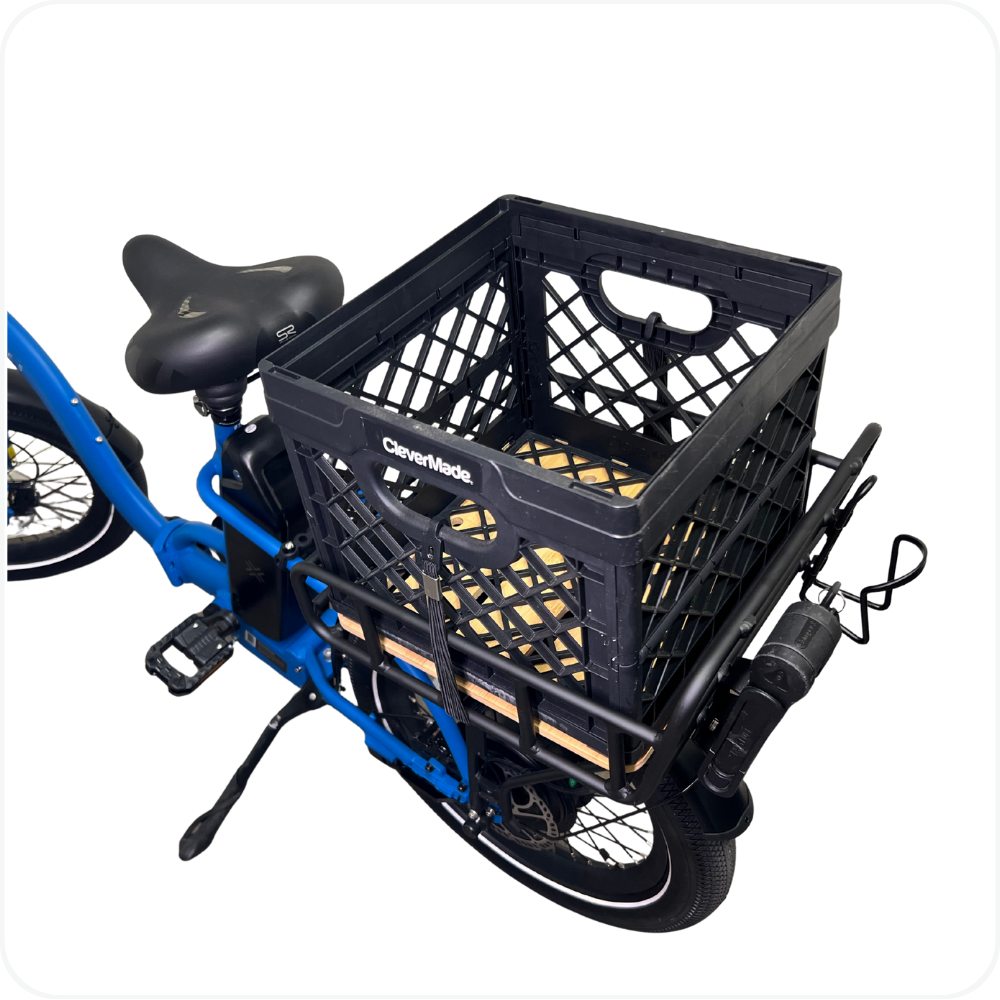
Attach Your Own Accessories
You can also attach your own accessories, such as a milk crate, using secure straps or bungee cords.
Troubleshooting
Basket won’t click or lock into place → Double-check that the front notches are facing the seat. The slider must be oriented correctly. Make sure the keyhole pins on the rack are aligned with the slots on the slider before pressing down. Check that there’s no debris or obstruction inside the rack slots.
Basket feels loose or wobbly after installation → Ensure the slider has fully “clicked” into place. If it still feels loose, use an Allen wrench to slightly tighten the bottom barrel nuts and try again. Repeat the process until the basket fits snugly.
⚠️ Note: Do not ride if the basket is loose. Re-secure before use.
FAQs
Can I install the MOD Snap-On Rear Basket on any bike?
No. The basket is designed to work only with the MOD Snap-On Rear Rack, which comes standard on MOD BIKES.What is the maximum weight capacity?
The maximum recommended load is 70 lbs (32 kg).How do I secure items inside the basket?
Items must be secured using the MOD Cargo Net. Always make sure cargo is firmly held in place before riding.Can I carry a pet in the basket?
Yes. To safely carry a pet, use the MOD Pawsenger Pet Carrier, which is designed specifically for this application.Can I attach my own accessories, like a milk crate?
Yes. You may attach personal accessories such as a milk crate using secure straps or bungee cords, provided the total load does not exceed the weight limit and items are firmly secured.
Warning
⚠️ Important Safety & Liability Notice

Always ensure the basket is fully locked into the Snap-On Rear Basket before riding. Improper installation or unsecured cargo may result in loss of control, damage, injury, or voiding of warranty.

Do not exceed the 70 lb (32 kg) weight limit. Always secure cargo using the MOD Cargo Net or appropriate straps before riding.

If you are unsure about installation or safe use, please contact MOD BIKES Support or a qualified technician. MOD BIKES is not responsible for damage or injury resulting from improper installation, overloading, or failure to follow these instructions.
Was this article helpful?
That’s Great!
Thank you for your feedback
Sorry! We couldn't be helpful
Thank you for your feedback
Feedback sent
We appreciate your effort and will try to fix the article