In this article: You’ll learn how to assemble and install the MOD Cargo Handrail onto your MOD Cargo rear rack to add extra support, safety, and stability for passengers.
This Article Applies to the Following Bikes
Difficulty
★☆☆ Easy
Estimated Time
10 - 15 Min
Before You Start
Tools you will need
- Adjustable Wrench (included in your bike tool kit)
- Multitool with Allen Wrenches (included in your bike tool kit)
- Bolt Tray (or any small container for screws)
Preparation
- Ensure your bike is off and standing securely on its kickstand.
Steps
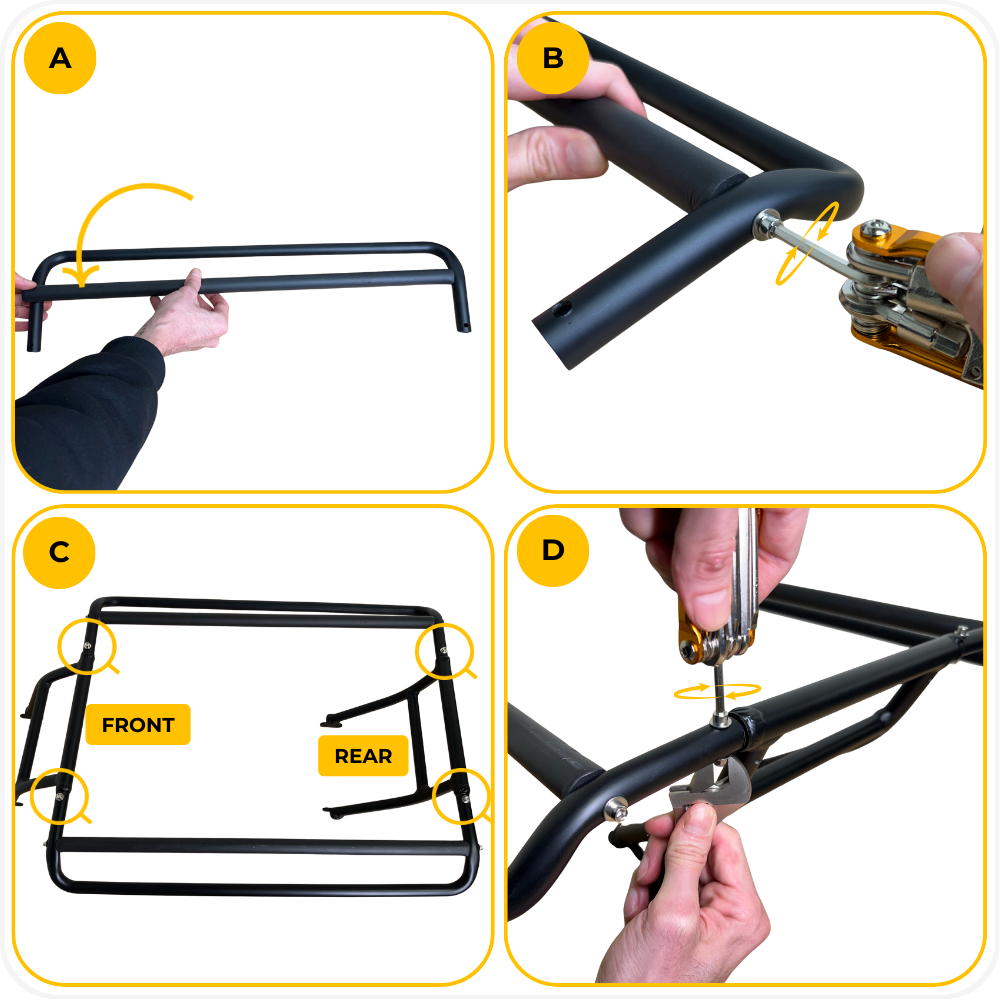
Step 1: Assemble the Handrail
Slide one foam-covered tube into one of the outer bent handrail tubes, making sure the holes on both ends are aligned.
Insert the long screws with washers through the aligned holes and tighten while holding the foam tube in place. Repeat this for the second side.
Lay both assembled side frames flat, then position the front crossbar on the left and the rear crossbar on the right, as shown.
Insert a screw with a washer from the top of each joint, add a washer and nut underneath, and use a multitool and wrench to fully tighten all four connection points on each side.
Step 2: Confirm the Orientation
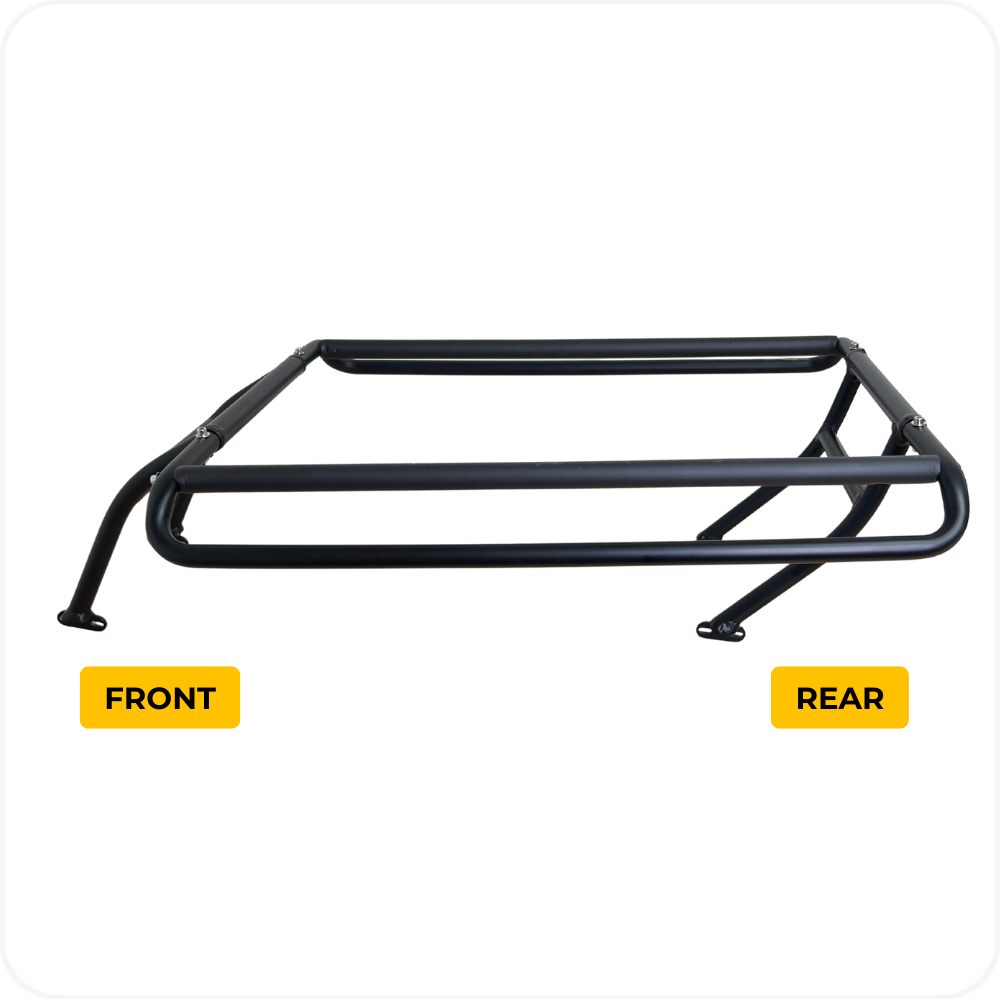
The side with the forward-angled support leg faces the front of the bike, and the side with the rear support leg faces the rear, as shown.
Step 3: Secure the Handrail to the Rack
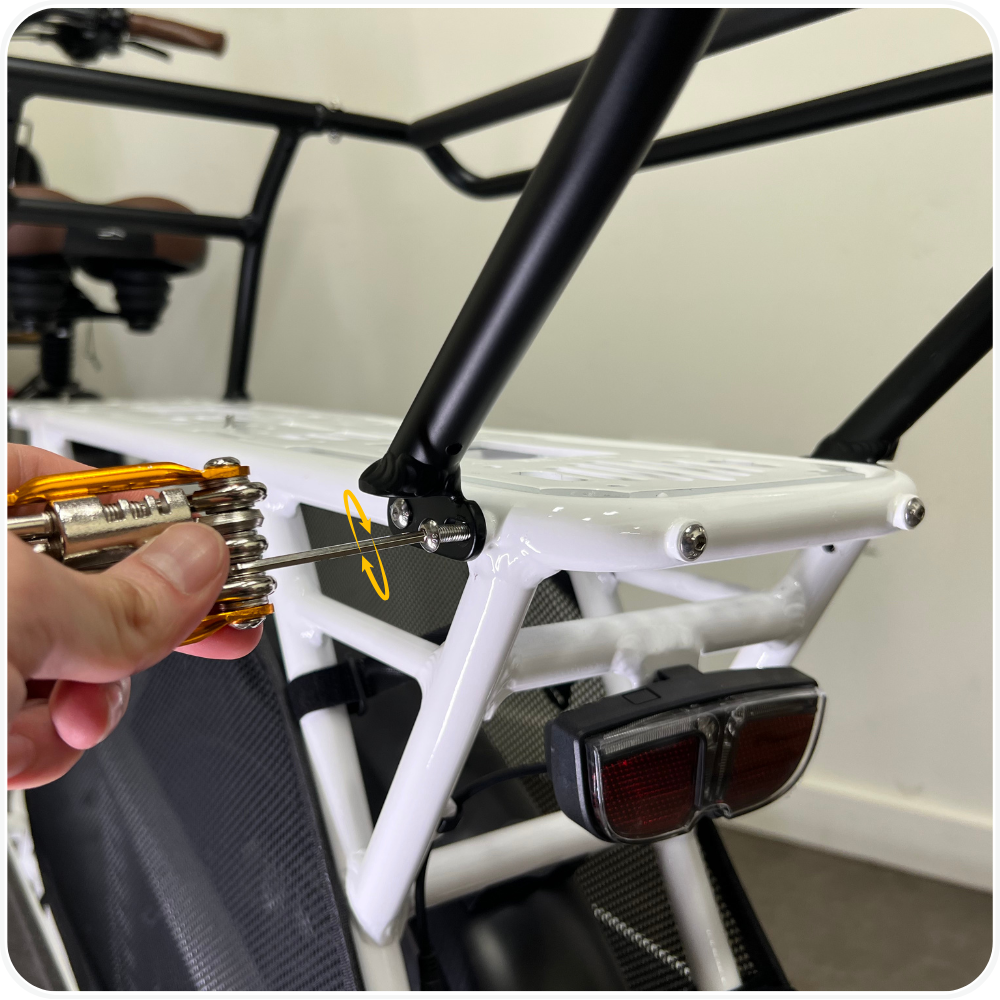
Using the 3mm Allen wrench included in your bike tool kit, remove the screws already installed in the rear rack, and reuse those same screws to attach the handrail brackets. There are 8 screws total, with 2 screws per corner. Tighten all screws until fully secure.
Step 4: Confirm Fit and Security
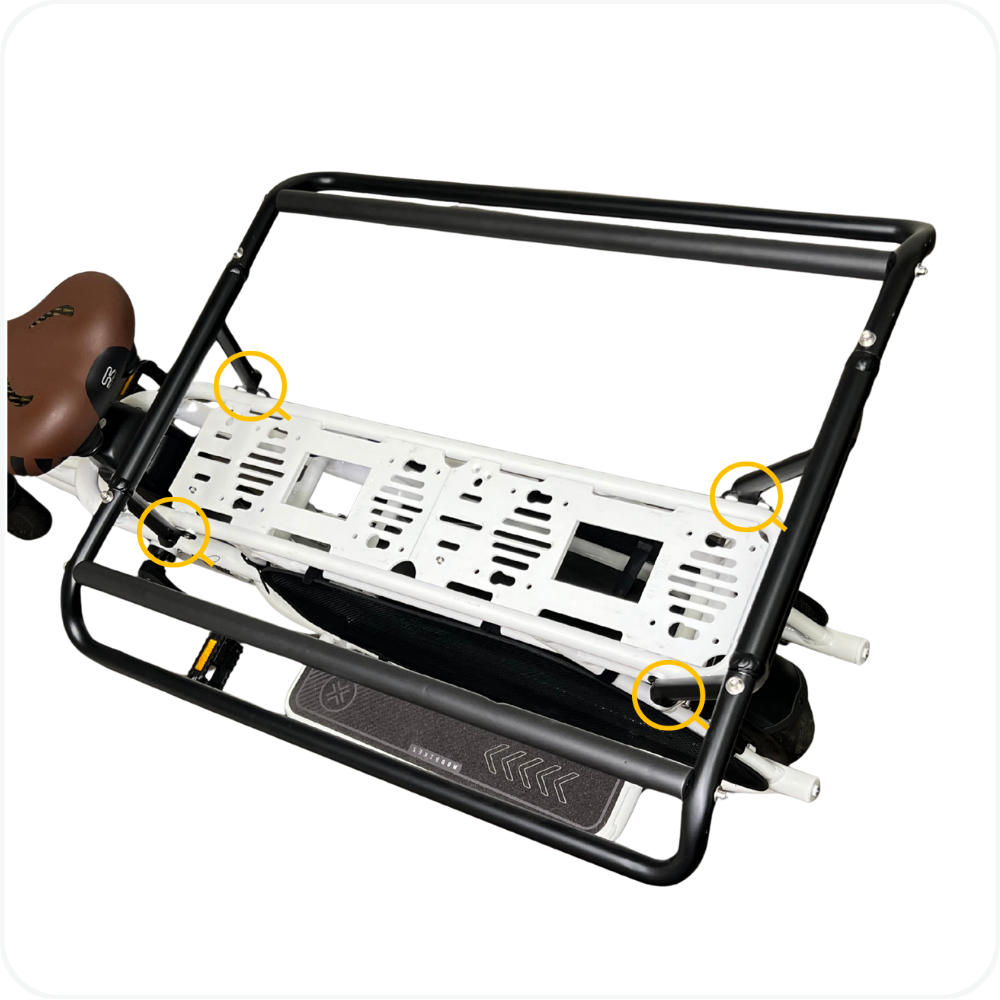
Check that all 8 screws are tight and that the handrail sits evenly over the rack, matching the placement shown. The handrail should not move at all and should feel solid, secure, and safe before riding.
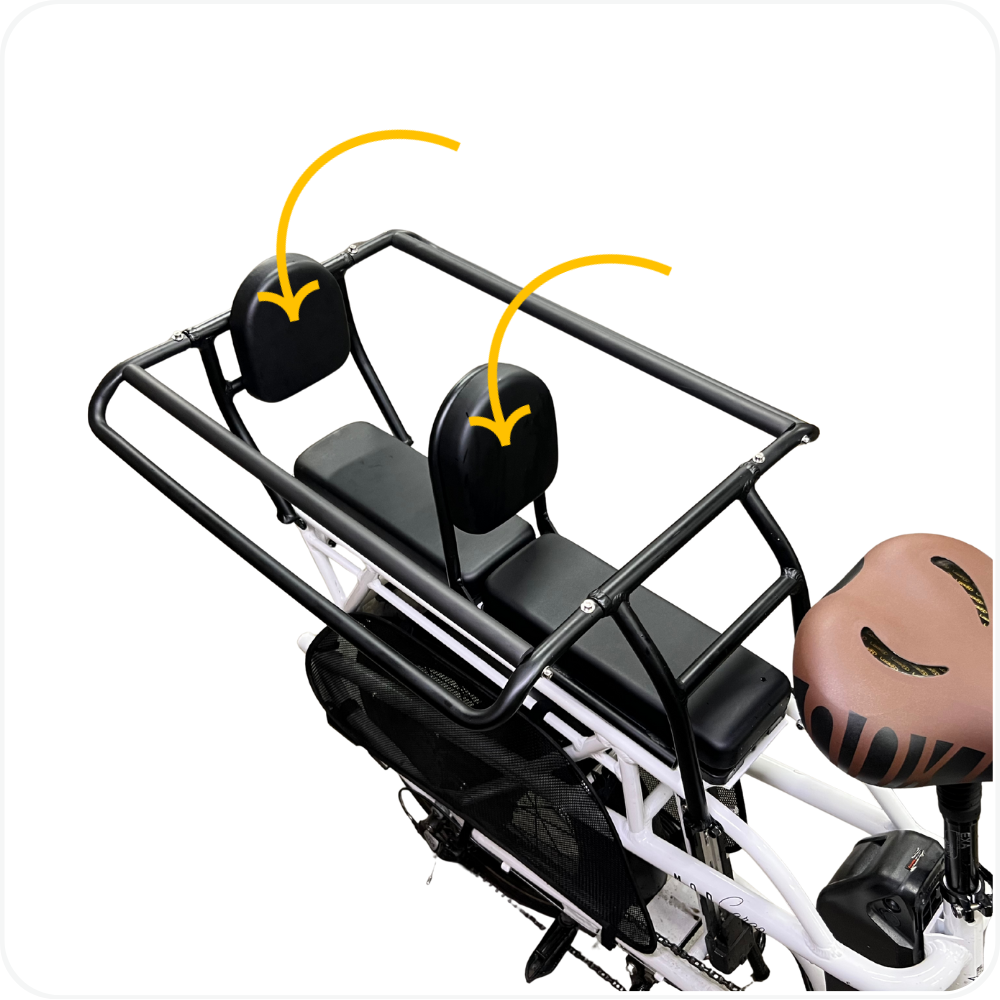
Step 5: Install the Bench Seats
Snap the bench seats onto the rear rack.. Gently pull up on each bench to confirm it is fully secured before riding.
Troubleshooting
- Handrail feels loose after installation → Recheck all 8 mounting screws (2 per corner) and tighten evenly. Make sure each bracket is fully seated against the rack before tightening.
- Handrail does not sit evenly on the rack → Confirm the handrail is oriented correctly (front vs rear) and that no brackets are resting on top of debris or misaligned holes.
- Screws won’t thread in smoothly → Remove the screw and realign the bracket with the rack hole. Start threading by hand before tightening with a tool to avoid cross-threading.
FAQs
- Is the MOD Cargo Handrail required for riding?
No. The handrail is optional and designed to add support and safety for passengers. - Can I install the handrail myself?
Yes. Installation is straightforward using basic hand tools and the existing hardware on the rear rack. - Does the handrail work with other MOD Cargo accessories?
Yes. The handrail is designed to work with MOD Cargo-compatible accessories that mount to the rear rack. - Do I need to buy extra hardware?
No. The handrail reuses the screws already installed in the rear rack.
Warning
⚠️ Important Safety & Liability Notice

Always ensure all screws, bolts, and fasteners are fully tightened and secure before riding. A loose or improperly installed handrail may shift during use and could result in damage, injury, or loss of control.

After installation, firmly shake the handrail to confirm it does not move. Periodically recheck hardware tightness, especially after the first few rides.

If you are not confident performing this installation, please seek assistance from a qualified bicycle technician. MOD BIKES is not responsible for damage or injury resulting from improper installation, misuse, or failure to follow these instructions.
Was this article helpful?
That’s Great!
Thank you for your feedback
Sorry! We couldn't be helpful
Thank you for your feedback
Feedback sent
We appreciate your effort and will try to fix the article